
Setting Up Your ActionEra Menu's
The Menu Setup page is used to toggle certain app/web features visibility on or off as well as to rename them to your liking.
You can access this screen under SETUP in the Creator Portal:

Menu Setup Options and Fields
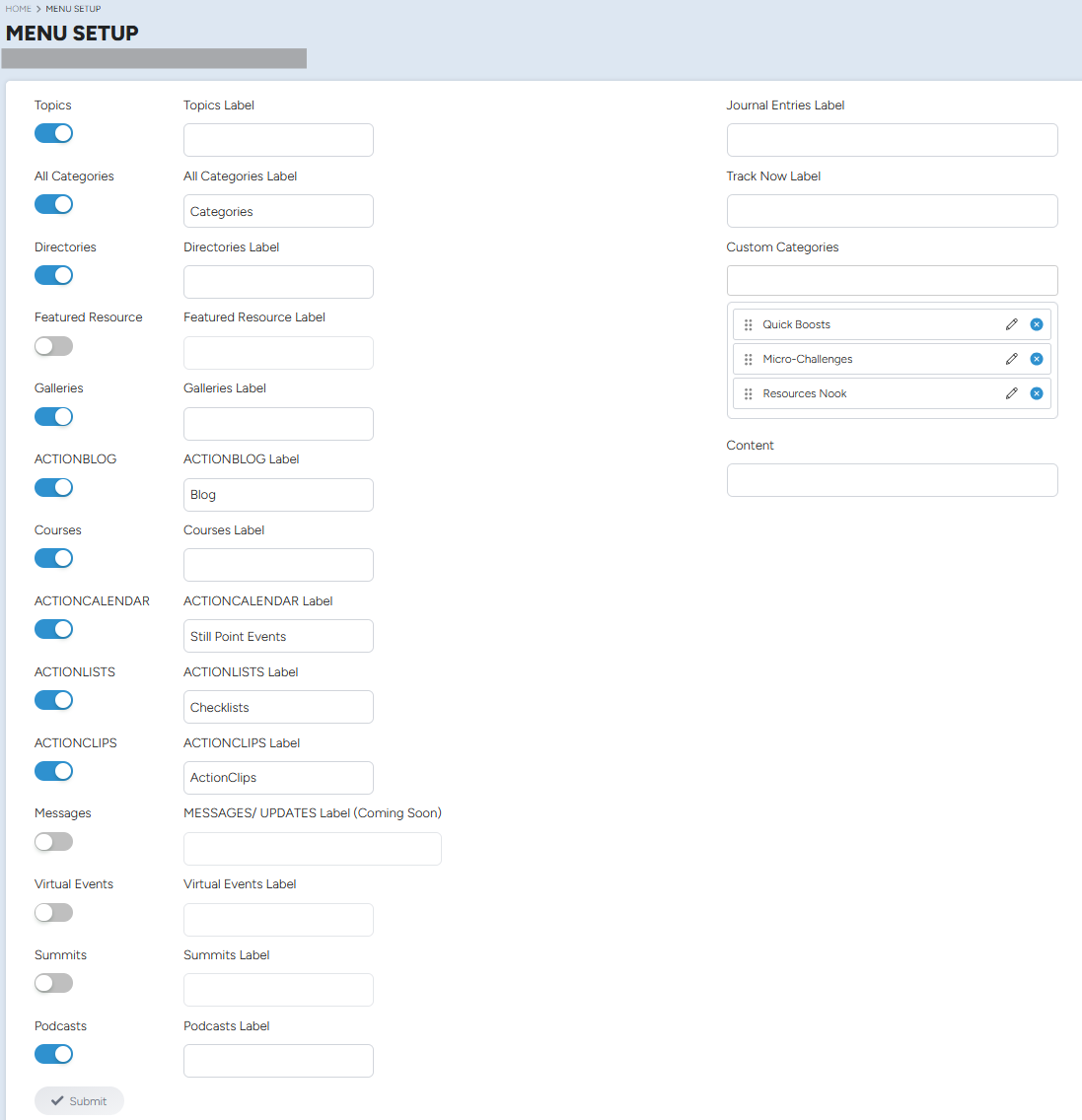
Each toggle in the menu setup screen is used to to make a subsequent features and screens in the web/app visible or hidden; the associated labels can be used to rename the default label to a name of your choice.
The journal, track now, and content screens cannot be toggled off and are visible to all users by default. The journal and track now labels can be renamed to better fit your users and app.
The Custom Categories screen can be setup to host flexible Categories that will appear in a highlighted gold text in your app menu, for quick and easy access. You can have a maximum of 5 custom categories